CipherSuites
This layout can be customised. The page below describes it as shipped. To adapt it for a specific purpose, build the arrangement you want as a template in Dashboard > Home — adding, removing, arranging and configuring widgets — then choose Update > Save as Layout and pick this page. Saving replaces this page's layout for every user and the previous arrangement is not kept, so it needs the layout-update permission held by administrators. See Publishing a Template as a Layout.
The CipherSuites page is focused on cipher suite information derived from the protocol material collected across your environment. It brings together the cipher suites actually in use, high-level inventory totals, a risk breakdown and a discovery view by sensor — so you can see which cipher suites are present and how they contribute to your cryptographic posture. The page is reached from Crypto Inventory > CipherSuites in the left navigation menu, and the shipped layout is named CS-Layout.
An Export PDF button at the top right renders the page to a PDF named after the layout.
CipherSuites Summary Table
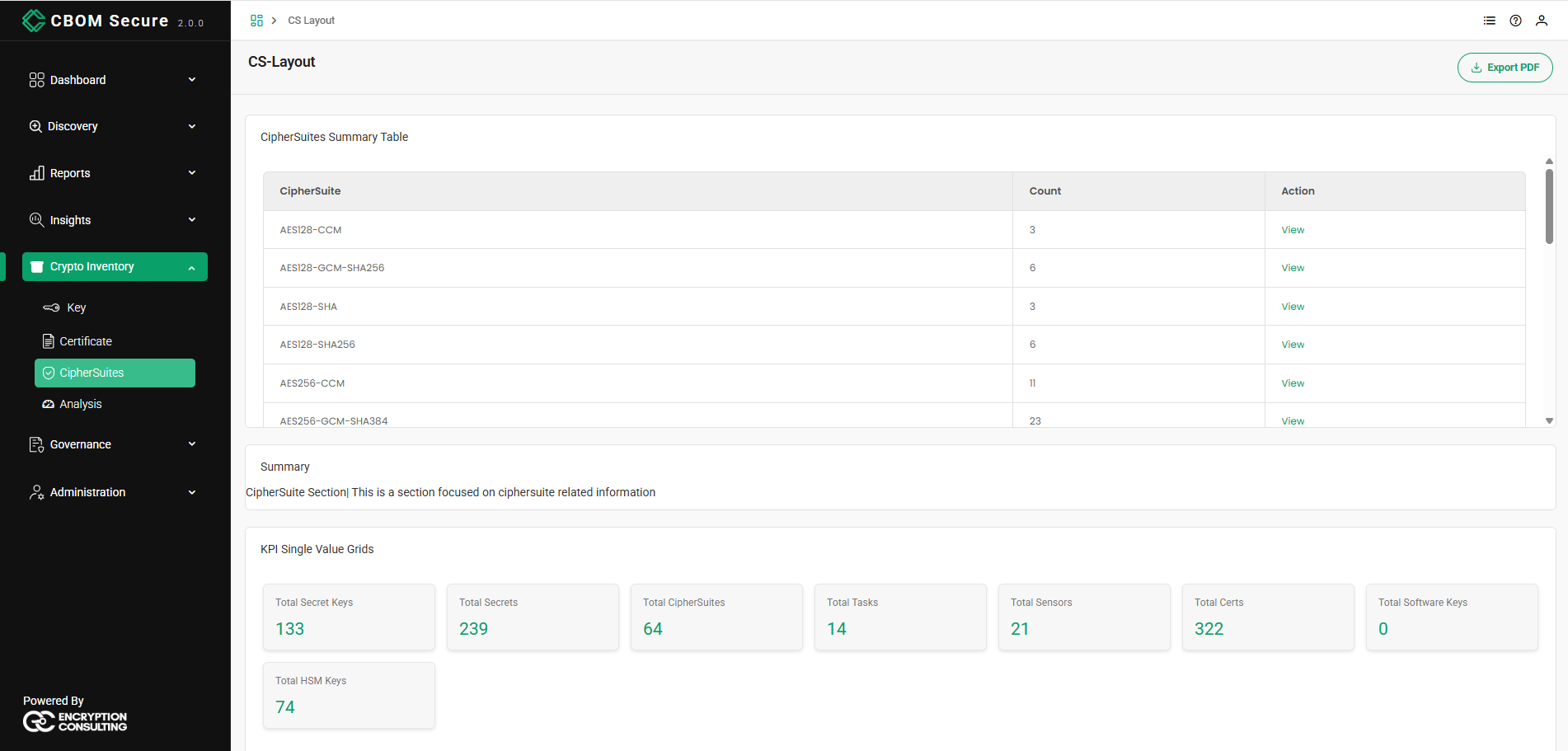
The page opens with the CipherSuites Summary Table — one row per distinct cipher suite found, with how many times it was observed:
-
CipherSuite: The suite name as negotiated, for example AES128-CCM, AES128-GCM-SHA256, AES128-SHA, AES256-CCM or AES256-GCM-SHA384.
-
Count: How many protocol documents negotiated that suite.
-
Action: A View link that opens the material behind the row.
The widget's configuration narrows and sorts the list: filter on a CipherSuite name, choose All, TLS or SSH, sort by suite name or by count, and set how many rows a page holds.
Below the table sits a text widget titled Summary introducing the page.
KPI Single Value Grids
A row of single-value cards then summarises the inventory relevant to cipher suites. Each card is one KPI chosen from the platform's catalogue, so the set on your dashboard is configurable; the shipped selection is:
-
Total Secret Keys: Symmetric secret keys only.
-
Total Secrets: Secret and private keys combined.
-
Total CipherSuites: Distinct cipher suite values seen across all protocol documents, not the number of times they were observed.
-
Total Tasks: How many discovery tasks are defined in this deployment.
-
Total Sensors: How many discovery sensors this deployment has registered.
-
Total Certs: Every certificate in the inventory.
-
Total Software Keys: Secret and private keys with no hardware protection recorded.
-
Total HSM Keys: Secret and private keys held in a hardware security module.
CM Risk Analysis
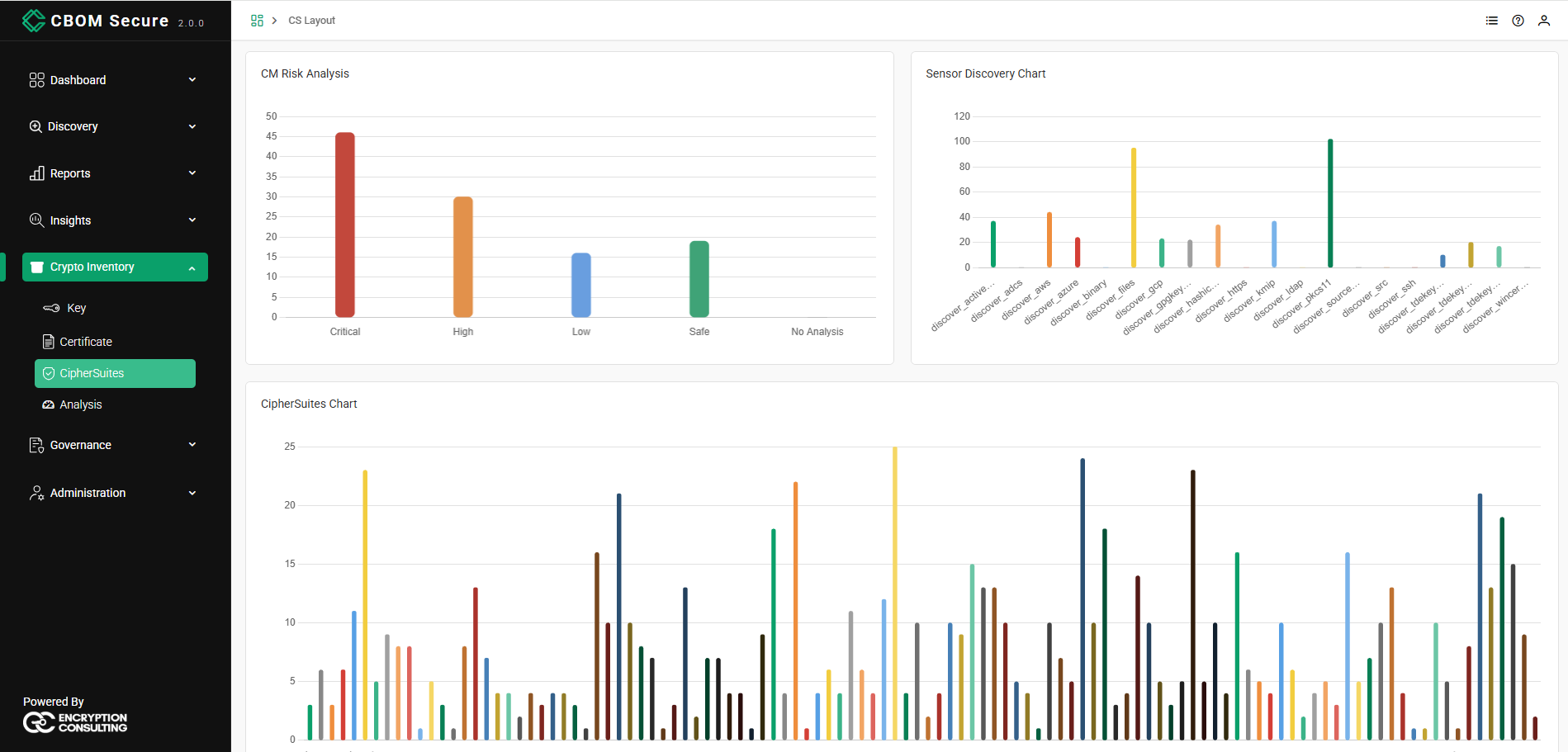
The CM Risk Analysis chart grades material by risk severity — Critical, High, Low, Safe and No Analysis — so you can gauge how much of the inventory is at risk.
On this page the instance is pointed at protocol material, where the criteria are cipher-suite specific: overall CipherSuite Strength and CipherSuite Quantum Safe, plus per-role criteria that rate an SSH connection's separately negotiated key exchange, cipher, MAC and host key. Those per-role criteria are No Analysis for a TLS document by design — a TLS suite bundles its algorithms and has no separately negotiated MAC or host key to rate. See CM Risk Analysis on the Analysis page for the full widget.
Sensor Discovery Chart
The Sensor Discovery Chart shows how much material each sensor discovered, one bar per sensor: discover_activedirectory, discover_adcs, discover_aws, discover_azure, discover_binary, discover_files, discover_gcp, discover_gpgkeyrings, discover_hashicorpvault, discover_https, discover_kmip, discover_ldap, discover_pkcs11, discover_sourcecode, discover_src, discover_ssh, discover_tdekeys_mssql, discover_tdekeys_mysql, discover_tdekeys_oracle and discover_wincerts. Clicking a bar drills into the material that sensor found.
CipherSuites Chart
The CipherSuites Chart is the same population as the summary table drawn as a bar per suite, so the shape of the distribution is visible at once: a handful of common suites and a long tail of rarely negotiated ones. Hovering a bar reveals the exact cipher suite name and its count, making it easy to pick out both the most common suites and any weak or outdated ones.